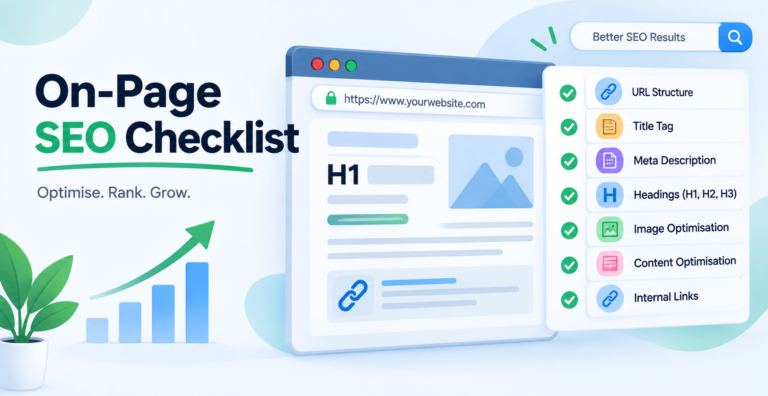
On-page SEO is everything you control on the page itself: what it says, how it is structured, and how clearly it signals what it is about.
It is the part of SEO with the most advice attached and the most outdated advice still circulating. A good share of what appears on on-page checklists was true in 2015 and is now either ignored or actively unhelpful.
This checklist is built from what Google’s own documentation currently says, and it is explicit about which long-standing items no longer do anything.
What on-page SEO is not
- Not technical SEO. Crawling, indexing, speed and rendering are a separate layer.
- Not off-page. Links from other sites are not something you control on the page.
- Not a substitute for either. A perfectly optimised page that nobody links to and Google cannot crawl still gets nothing.
Start Here: Google Builds the Result, Not You
This section comes first because it changes how you should read every checklist item after it.
Most on-page advice treats the title tag and meta description as the things that appear in search results. Google’s documentation says otherwise.
Titles
Google states that generating the title link “is completely automated and takes into account both the content of a page and references to it that appear on the web.”
It names its sources explicitly: the <title> element, the main visual title on the page, heading elements such as <h1>, og:title, and other content that is large and prominent through styling.
So your <title> is one input among several, not the output. Google also says it may alter title links when it detects problems such as obsolete or inaccurate titles, and may drop a site name that is already shown elsewhere in the result.
Descriptions
The inversion here is bigger. Google’s documentation says snippets “are automatically created from page content”, and that it “sometimes uses the meta description HTML element if it might give users a more accurate description of the page than content taken directly from the page.”
Read that order carefully. Page content is the default; your meta description is the exception Google reaches for when it is genuinely better.
What this changes in practice
- Make the title, H1 and visible heading agree. They are all inputs. Contradicting each other invites a rewrite.
- Stop counting characters as the main job. Length affects truncation, not whether Google keeps your title.
- Write body text that reads well as a snippet. It will often be the snippet.
- Treat a rewritten title as feedback rather than a bug. Google usually rewrites because the original was vague, repetitive or did not match the page.
1. Title Tags
- One per page, unique across the site. Duplicates usually mean a template is generating them.
- Describe the page accurately. Accuracy is what Google says it checks.
- Lead with the subject, not the brand. Brand at the end, or omitted on pages where it adds nothing.
- Around 50 to 60 characters before truncation on most screens. A longer title is not penalised; it is just cut.
- Main term included naturally. Once, in the words people actually use.
- No stuffing. “SEO Audit | SEO Audit Checklist | Free SEO Audit Tool” is the pattern that gets rewritten.
2. Meta Descriptions
They are not a ranking factor and never have been. They affect whether someone clicks, which is worth caring about on pages that already get impressions.
- Write them for pages with impressions. Search Console tells you which. Writing one for every page on a large site is rarely worth the hours.
- Unique per page. A duplicated description across a template is worse than none.
- Roughly 150 to 160 characters.
- Say what the page gives them, in the words of the query where that is honest.
- Do not promise what the page does not deliver. The click you win that way becomes an immediate bounce.
There is more on this in writing descriptions that earn the click, including how to find the pages worth rewriting first.
3. Headings
- One H1 that matches what the page is about. Multiple H1s are not fatal, but they blur the signal.
- H2s that describe sections, in a logical order a reader could navigate by.
- Levels used for structure, not size. Jumping H2 to H4 for styling reasons is a CSS problem being solved in HTML.
- Headings that answer questions. This is also what makes a section quotable in an AI answer or a featured snippet.
Question-shaped headings connect directly to People Also Ask boxes, which are won by resolving one question cleanly rather than by covering it at length.
4. Content and Intent
The largest part of on-page SEO, and the part that checklists reduce to word counts.
Match the intent, not just the keyword
Look at what currently ranks for your target query. The results tell you what Google has decided the query means.
If page one is comparison articles and you published a service page, the problem is not your title tag. No amount of on-page work fixes a format mismatch.
Cover the question properly
- One page, one question. Pages answering four things rank for none of them.
- Answer early. The main answer in the first hundred words, before the history lesson.
- Cover the follow-up questions a reader will have, which a look at what competitors cover usually reveals.
- Say something the ranking pages do not. If your page restates page one, it has no reason to join it.
Keywords, placed sensibly
Use the main term in the title, the H1, the first paragraph and naturally through the body. Then stop thinking about it. There is a fuller treatment in where to add keywords.
Density targets are not a thing. There is no percentage to hit.
5. Readability and Formatting
Not a ranking factor in itself. It decides whether anyone stays long enough for the content to matter, and it decides whether a passage can be lifted as an answer.
- Short paragraphs. Two or three sentences. A dense block is skipped on a phone regardless of what it says.
- Subheadings every few hundred words, so the page can be navigated by scanning.
- Lists and tables where the content is a list or a comparison. Prose describing six options is harder to use than six bullets, and harder to quote.
- Bold for the load-bearing phrase, not for emphasis scattered through a sentence.
- Plain words. The reader searching this is usually not an expert.
A table of contents on long pages
Anything past roughly 1,500 words benefits from jump links. It helps readers reach the section they came for, and the anchor links can surface as sitelinks under your result.
Keep it to real sections. A contents list of twenty entries is another wall of text.
Check it on a phone
Google indexes the mobile version, so the mobile rendering is the one that counts.
- Paragraphs that look fine on a laptop can be eight lines on a phone.
- Tables need to scroll horizontally rather than squash.
- Nothing important hidden behind a tap.
- Text readable without zooming, tap targets far enough apart.
6. Internal Links
The most undervalued item on any on-page checklist, and the only one that needs no budget.
- Link out from the page to the pages that answer the reader’s next question.
- Link in to the page from relevant existing posts. A new page with no incoming links is a page Google has little reason to prioritise.
- In body text, not a widget.
- Descriptive anchors using words already in the sentence.
On the widget point: auditing this site produced a link graph across all 123 posts, and two pages that had never been crawled were linked from every single page on the site through the theme’s related-posts block. Google had still not fetched either of them.
Theme-generated link blocks are identical everywhere, so they carry almost no information. Only in-content links count for this.
Links out to other sites
Linking out is not a leak. It is normal editorial behaviour, and a page that makes claims without ever citing anything reads as less trustworthy, to readers and to a quality rater.
- Cite the primary source, not a blog summarising it. Google’s documentation over someone’s post about Google’s documentation.
- Link where the claim is made, not in a references pile at the bottom.
- Mark paid or sponsored links with
rel="sponsored", and user-submitted ones withrel="ugc". - Check them occasionally. Dead outbound links do not carry a penalty, but a page full of them reads as abandoned.
7. Images and Video
- Descriptive filenames before upload, not
IMG_4471.jpg. - Alt text that describes the image for someone who cannot see it. Empty alt on purely decorative images.
- Compressed, correctly sized, modern format. Oversized images are the most common page-speed problem on content sites.
- Explicit width and height to prevent layout shift.
- Lazy loading below the fold, never on the main image.
More detail in image SEO, including what alt text should say when the image carries real information.
Video
- Put it on a page with real text around it. A bare embed gives Google almost nothing to index.
- Add VideoObject markup with a title, description, thumbnail and duration.
- Include a transcript or a written summary. It makes the content searchable and usable by people who will not watch.
- Do not let it block the load. A video embed above the fold is a common LCP problem.
8. URLs
- Readable and short. Words a person could retype.
- Lowercase, hyphen-separated.
- Stable. Changing a URL to improve it costs more than the improvement is worth once the page has any history. If you must, redirect.
- No dates unless the content is genuinely time-bound.
9. Structured Data
- Mark up what the page actually is. Article, Product, FAQ, HowTo, LocalBusiness.
- Markup must match visible text. FAQ schema listing questions that are not on the page is a straightforward violation, not a clever trick.
- Validate with the Rich Results Test, which checks eligibility rather than syntax alone.
Structured data does not raise rankings. It changes how the result can look, which changes clicks, and it makes a page easier for an assistant to read, which matters for appearing in AI Overviews.
10. Trust Signals on the Page
These are on-page items even though checklists usually file them elsewhere, and they matter most on topics where bad advice costs the reader something.
- A named author with a real bio, not “Admin”. Two lines saying why this person knows the subject.
- A published date, and a modified date only when the content actually changed.
- Claims attributed. Numbers, statistics and anything contested should say where it came from.
- First-hand detail where you have it. A screenshot from your own account, a number from your own data, a thing that went wrong. This is the part that cannot be reproduced by someone rewriting the same sources.
- Disclosure on affiliate or sponsored content, clearly and near the top.
None of these is a ranking factor you can set. They are the difference between a page that reads as written by someone who has done the work and one that reads as assembled from other pages.
What No Longer Works
These still appear on checklists. None of them do anything, and two are actively harmful.
| The advice | Reality |
| Hit a keyword density of 1–2% | No such target exists. Writing to a percentage produces text that reads badly. |
| Fill in meta keywords | Google has ignored this tag for well over a decade. |
| Exact-match keyword in every heading | A pattern that invites a title rewrite and reads like a machine wrote it. |
| Longer content ranks better | Comprehensive content tends to be longer. Length itself is not the cause. |
| Add LSI keywords | Not a technique Google has ever described. Cover the topic properly instead. |
| Update the date to look fresh | Changing the date without changing the content is a signal in the wrong direction. |
The last one matters more than it looks. Freshness is judged on the content, and a site that redates everything monthly is teaching Google to distrust its dates.
Optimising One Page: The Workflow
Checklists describe what to check. This is the order to do it in for a single page.
- Find the query it should win. Search Console shows what it already gets impressions for, which is often not what you intended.
- Open page one for that query. Note the format, the depth, and the questions everyone answers.
- Decide whether the page can win it. If the format is wrong, that is a rewrite, not an optimisation.
- Fix the structure first. One clear question, answer early, headings that follow the reader.
- Then title, H1 and description, agreeing with each other.
- Then internal links, in and out, in body text.
- Then the small things. Images, alt text, schema.
- Record the date and the position so you can tell in eight weeks whether it worked.
The highest-return version of this is applying it to pages ranking between 11 and 20. They already have relevance and history, and a page in that band is usually a few fixes from page one, which is cheaper than a new post.
Where On-Page Stops Helping
Worth stating, because on-page work is satisfying and visible in a way that makes it easy to overdo.
- If the page is not indexed, none of this applies. Check that first, crawled but not indexed means Google read it and declined.
- If the format is wrong for the query, optimisation cannot fix it.
- If the site has no authority, a well-optimised page in a competitive space still sits on page five. That is a links problem wearing an on-page costume.
A useful test: if you have optimised a page twice and it has not moved in three months, the constraint is not on the page.
Frequently Asked Questions
What is on-page SEO?
Everything you control on the page itself: content, titles, headings, internal links, images, URLs and structured data. It is distinct from technical SEO, which covers crawling and indexing, and from off-page, which is mainly links from other sites.
Why does Google change my title in search results?
Google says title link generation is fully automated and draws on the title tag, the visible heading, H1s, og:title and other prominent text. It alters titles when it detects problems such as inaccurate or obsolete ones. A rewrite usually means the original was vague, repetitive or did not match the page.
Do meta descriptions affect rankings?
No. Google generates snippets from page content by default and uses the meta description only when it would describe the page more accurately. Descriptions affect click-through, not position.
What keyword density should I aim for?
None. There is no target percentage and there never was an official one. Use the term where it belongs naturally and spend the effort on covering the topic properly.
How long should a page be?
Long enough to answer the question completely. Length correlates with ranking because thorough content tends to be longer, not because length causes ranking. Padding a thin page produces a longer thin page.
Can I do on-page SEO without tools?
Yes. Search Console shows what each page ranks for, and the results page for your target query shows what the format should be. Those two are enough for most on-page work.
How often should I re-optimise a page?
When something changes: the page slips, the query’s results change shape, or the content goes out of date. Re-optimising on a schedule produces edits nobody needed and dates that stop meaning anything.